
Study Portfolio
Study Portfolio keeps your studies in one place on your iPhone — your subjects and lessons, the work you are set and when it is due, your notes and evidence, and your revision — and reminds you before a deadline arrives. Version 1.0.0 is being tested on TestFlight at the moment and is not in the App Store yet.
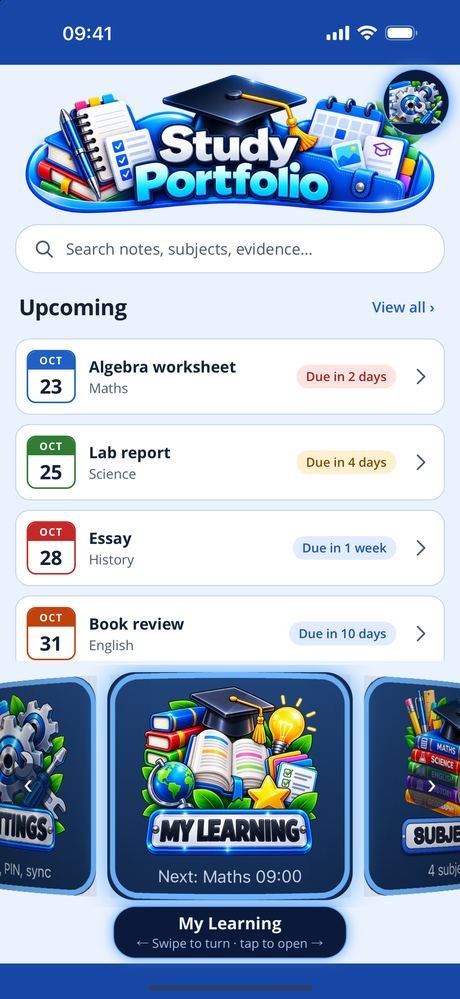
What is coming up, on one screen. The dashboard lists the assignments due next, each marked with how long is left, and what is on today. A search under the title looks through your notes, subjects, assignments, evidence, revision topics, flashcards and tutors. Every other screen sits on a carousel at the foot of the dashboard: swipe to turn it, tap to open.
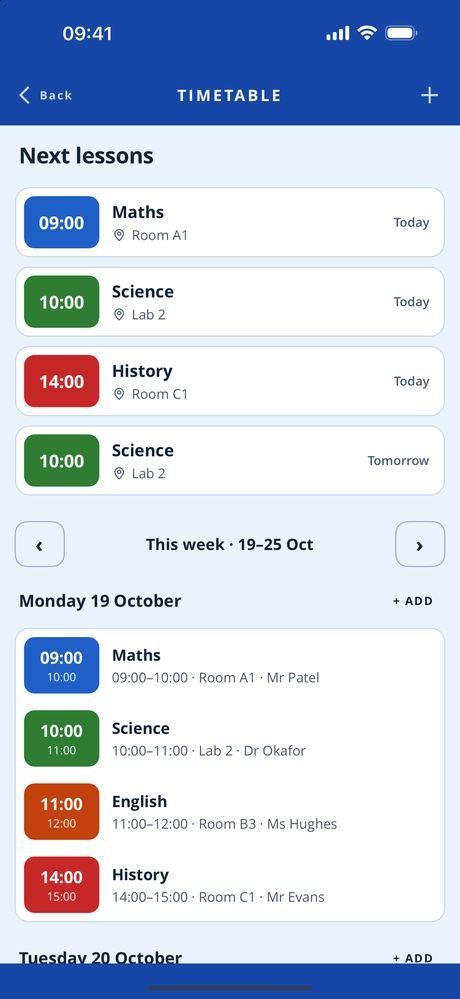
Subjects, lessons and work set. Each subject has its own colour and icon, with the teacher, the room, a target grade and notes. Lessons repeat on the days you choose, or happen once, with a week view and the next lessons coming up. Every assignment keeps its subject, what was set, the due date, whether it is done, the grade and feedback, and any sketches or scanned pages. The planner holds each day’s tasks and study sessions to tick off, and the calendar puts lessons, due dates, tasks and tutor sessions on a month view in your subjects’ colours.
Notes and the proof of your work. Typed, spoken and sketched notes, with scans and reminders. Dictation turns what you say into words you can correct, and keeps the recording. Photos and video of your work, taken in the app or imported. Worksheets, handouts and letters are scanned, squared up and kept as PDFs. Evidence — photos, scans, certificates, work samples and feedback — is gathered against each subject and assignment, and the best of it goes into portfolio collections with a cover and a summary.
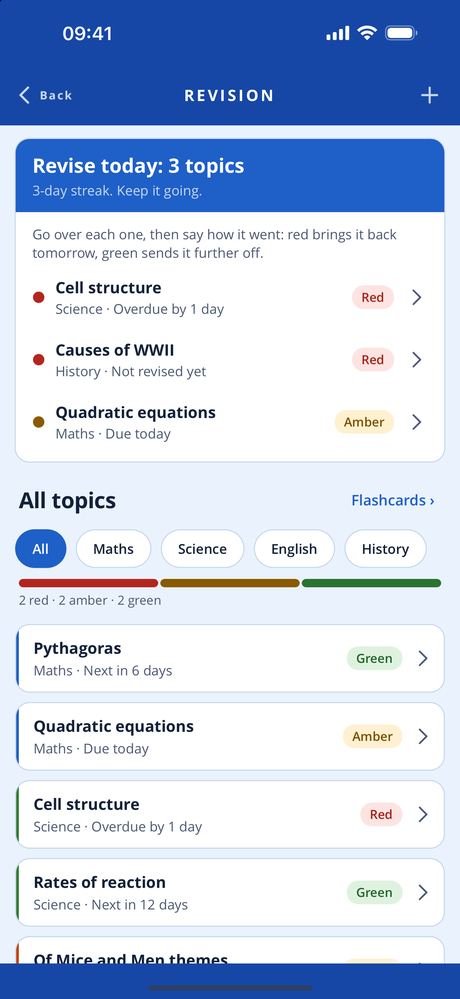
Revision that comes round again. Topics for each subject are marked red, amber or green. Each time you revise one, the next review is spaced further out — a day, three days, a week, two weeks, a month — and the app shows what to revise today. Flashcard decks, multiple-choice quizzes made from a deck, and a focus timer that logs your minutes by subject sit alongside. Progress shows each subject’s grades on one scale — percentages, marks, GCSE 9–1, A*–U or BTEC — against your target, and a collection or a subject can be exported as a PDF, with your grades as a spreadsheet file.
Reminders, set on your phone. The evening before an assignment is due, on the days revision topics come round, at the end of a focus block, and for any note you set one on. Nothing is sent from a server. Two phones close together can share your subjects, notes, photos and work with each other directly, encrypted, without going through anybody’s server.
Everything stays on your phone in an encrypted database. The app does not use your location. There is no advertising or analytics code, and a PIN can lock the app.
- PlatformiPhone, portrait, iOS 15 and later
- StatusVersion 1.0.0 on TestFlight, not yet in the App Store
- StorageOn device only, encrypted, PIN protected
- ScreensMy learning, subjects, timetable, planner, assignments, calendar, notes, record, capture, scan documents, evidence, portfolio, revision, study tools, progress, tutors, export
Free, and what a subscription unlocks
The things that organise your studies are free: my learning, subjects, the timetable, the planner, assignments, the calendar, the reminders and sharing with another phone.
A Study Portfolio Full Access subscription unlocks the rest — notes, record, capture and the camera, scan documents, evidence, portfolio, revision, study tools, progress, tutors and export. It comes in two lengths, monthly and quarterly, and renews until you cancel it at least 24 hours before the end of the period.
- Monthly See the App Store renews every month
- Quarterly See the App Store renews every three months
Prices are not listed here, because they can change. Check the App Store for the up-to-date price, in your own currency, before you subscribe — it is the App Store that takes the payment. Most of the apps give new subscribers an introductory offer: an introductory period at the start, before the first payment is taken. How long it lasts can change, so again, check the App Store for the details.
Manage or cancel the subscription from Manage subscription in the app, or in your App Store account settings.
The one piece of personal information involved is your email address, held so the subscription can be recognised as yours. See the privacy policy and the terms of use.
Every screen in the app
Five screens, three at a time — swipe, or use the arrows and dots. Tap a screenshot to see it full size. The apps are still being developed, so screens may look different in the version you download — these shots are not always updated the moment something changes.
Interested in an app like this, or in something else for iPhone, iPad or Android? Get in touch.