
Life Portfolio
Life Portfolio is a plain, private organiser for everyday life on your iPhone — what you have to do, what you want to do regularly, what you are aiming for and how you are keeping — all in one place. Version 1.0.0 is being tested on TestFlight at the moment and is not in the App Store yet.
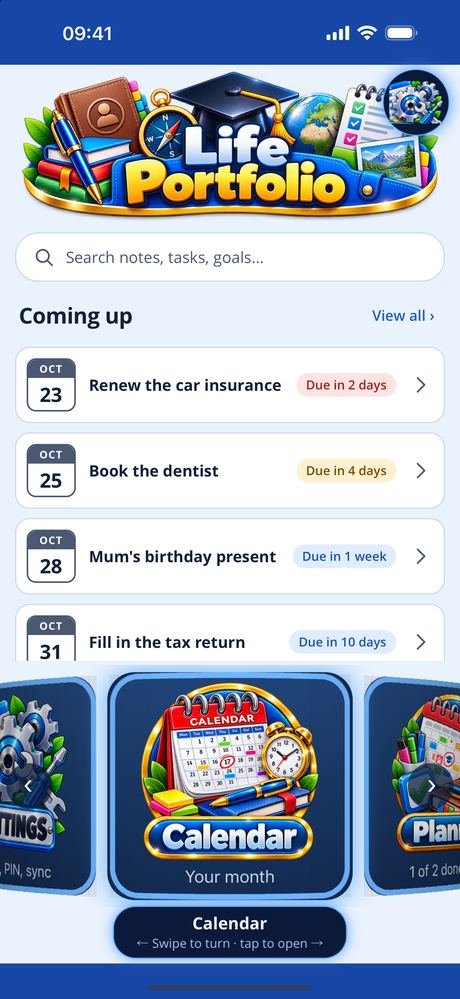
The day at a glance. The dashboard shows what is coming up, today’s plan and today’s habits, ticked off where you see them, with a search across your notes, tasks and goals. Every other screen sits on a carousel at the foot of the dashboard: swipe to turn it, tap to open.
What needs doing. Tasks have a day and time they are due, notes and where they have got to, and a reminder comes the evening before. Break a task into steps and each one lands on the planner, on its day. The planner takes each day of the week — what, when and for how long — and you tick it off as you go. The calendar puts plans, tasks due, goals and reminders on a month view.
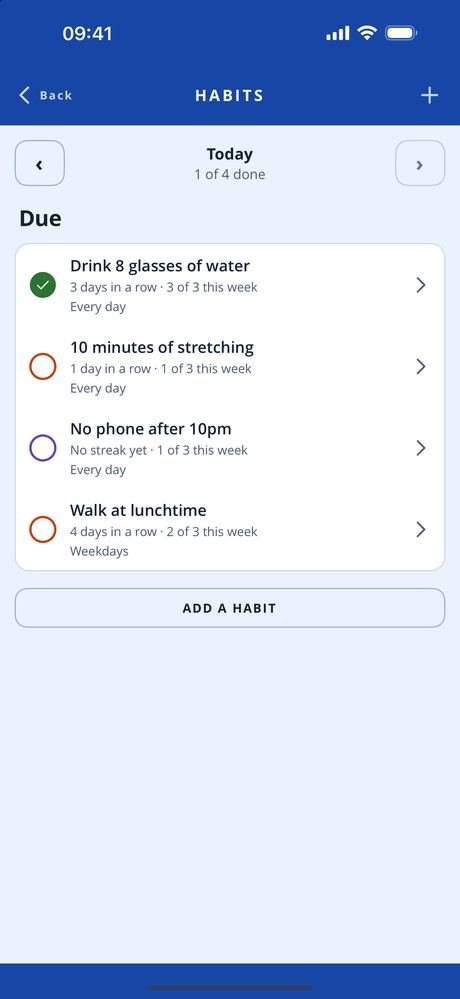
What you do regularly. Habits can be every day, on weekdays or on the days you choose. Tick each one off for the day and the streak grows; pause one without losing its history.
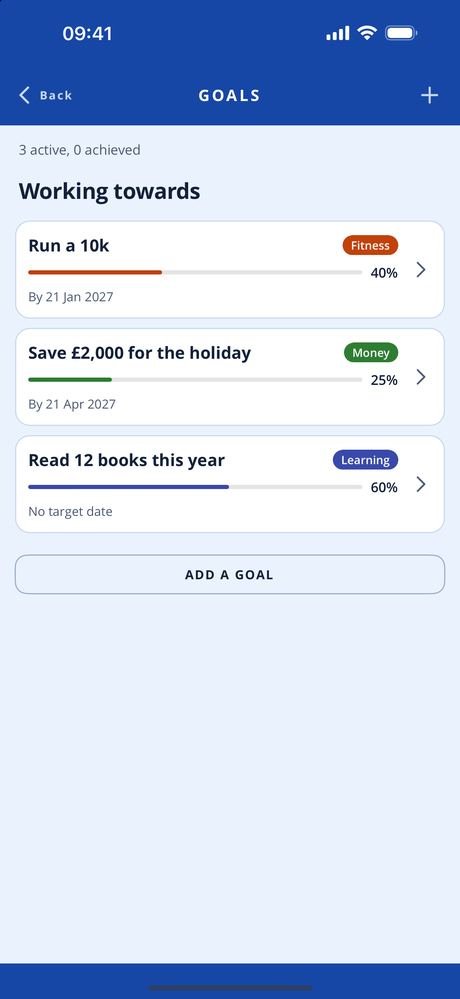
What you are aiming for, and how you are keeping. Goals for every part of life — health, fitness, mind, work, money, home, family, learning, fun — with why each one matters, a target date if it has one, and how far along you are. Health keeps weight, sleep, steps, water, mood, exercise, resting heart rate and blood pressure, typed in by you, with the latest of each and its history. Food & nutrition logs meals, snacks and drinks day by day, with calories if you count them. A focus timer runs blocks with breaks and adds up your time for the day and the week, and progress shows how your goals, habits and focus are going.
Notes and things worth keeping. Write a note, say it or draw it; a spoken note keeps the recording and the words. Add sketches, photos and video, and scan letters, forms and receipts: the edges are found, each page is squared up, and the pages are kept as a PDF. Evidence keeps achievements, certificates and moments worth remembering, with photos and scanned pages.
Everything stays on your phone in an encrypted database. Reminders are set on your phone; nothing is sent from a server. Health and food readings are typed in by you — the app reads nothing from Apple Health and does not use your location. There is no advertising or analytics code, and a PIN can lock the app. Two phones held together can share records with each other directly, encrypted, without going through anybody’s server, once both people have confirmed a code.
- PlatformiPhone, portrait, iOS 15 and later
- StatusVersion 1.0.0 on TestFlight, not yet in the App Store
- StorageOn device only, encrypted, PIN protected
- ScreensCalendar, planner, tasks, habits, notes, goals, health, food & nutrition, focus, progress, evidence
Free, and what a subscription unlocks
The day-to-day organising is free: the calendar, the planner, tasks and their reminders, habits and sharing with another phone.
A Life Portfolio Full Access subscription unlocks the rest — notes (with spoken notes, sketches, scans, photos and video), goals, health, food & nutrition, focus, progress and evidence. It comes in two lengths, monthly and quarterly, and renews until you cancel it at least 24 hours before the end of the period.
- Monthly See the App Store renews every month
- Quarterly See the App Store renews every three months
Prices are not listed here, because they can change. Check the App Store for the up-to-date price, in your own currency, before you subscribe — it is the App Store that takes the payment. Most of the apps give new subscribers an introductory offer: an introductory period at the start, before the first payment is taken. How long it lasts can change, so again, check the App Store for the details.
Manage or cancel the subscription from Manage subscription in the app, or in your App Store account settings.
The one piece of personal information involved is your email address, held so the subscription can be recognised as yours. See the privacy policy and the terms of use.
Every screen in the app
Five screens, three at a time — swipe, or use the arrows and dots. Tap a screenshot to see it full size. The apps are still being developed, so screens may look different in the version you download — these shots are not always updated the moment something changes.
Interested in an app like this, or in something else for iPhone, iPad or Android? Get in touch.