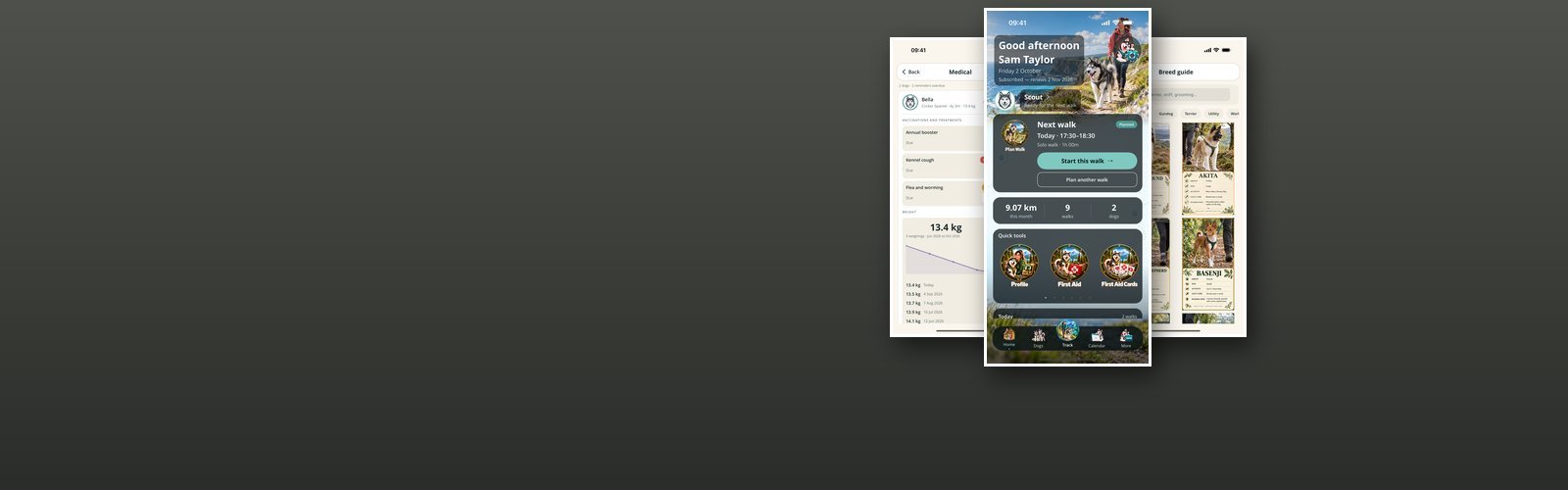

Dog Walker
Dog Walker is a working iPhone app built around the ordinary routine of owning dogs: knowing when the next walk is, getting out of the door, and having the right information to hand when it matters. It can sit behind a PIN, and everything it holds — your dogs, their medical history, your walks and routes, the photos from them — stays on the phone rather than on somebody else's server.
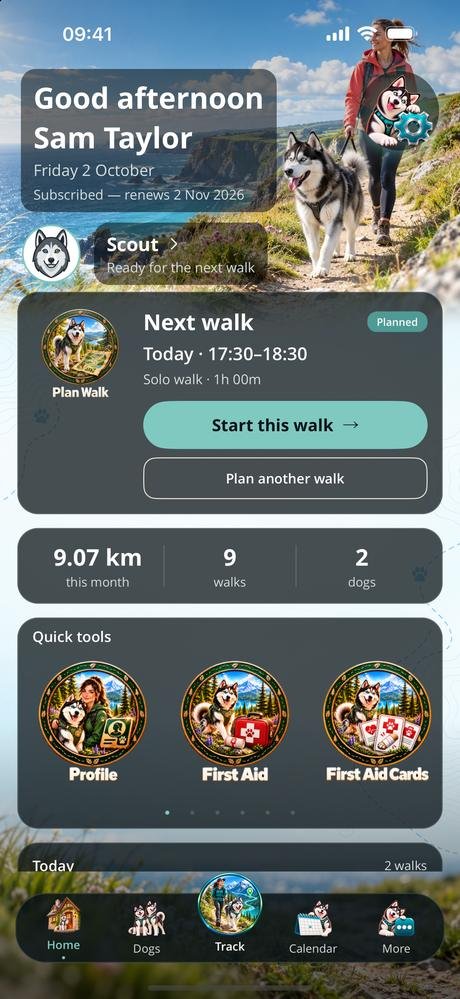
The home screen is a summary of where things stand, over a photograph that follows light and dark mode: the next walk with a button to start it, the distance and number of walks this month, how many dogs are on the account, and the jabs and worming coming due. Quick tools sit underneath as a carousel or a grid, and everything else — the calendar, planning, tracking, medical records, walk history, the breed guide, training, first aid, expenses and the photo gallery — hangs off that one screen.
Tracking uses the phone's GPS to draw the route on a map with live distance, elapsed time and pace, and it keeps measuring with the phone locked or in your pocket. The clock pauses on its own when you stand still and starts again when you move. While you walk you can log the things you actually need to remember afterwards: a wee, a poo, water, a treat, a written note or a voice memo. Hold the button to finish, and the walk joins the walk history with its distance, duration and any pauses. Start a planned walk from the calendar or the home screen and it is marked off when you finish.
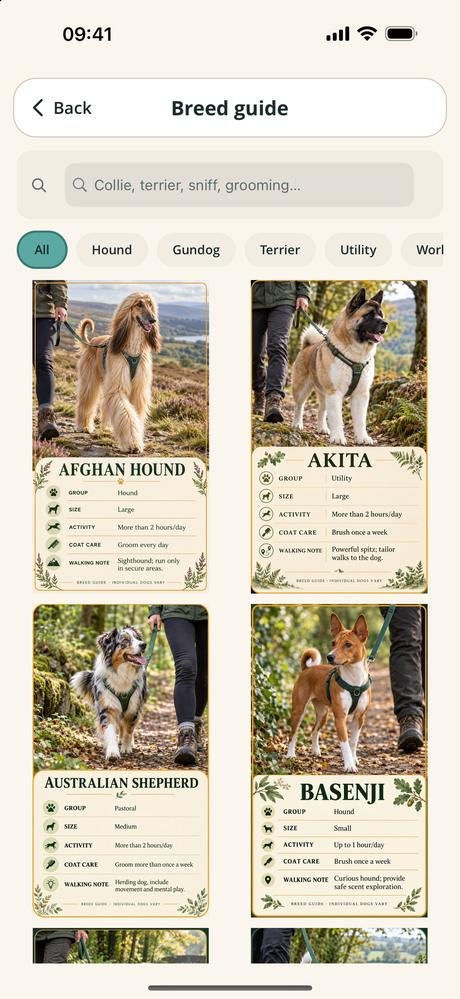
Version 1.3.0 added three card libraries. The breed guide covers 63 breeds, each with its group, size, how much walking it needs and what its coat asks for, searchable and filtered by group. Training is ten skills — recall, heel, loose leash walking, wait at doors, drop it, leave it and more — three steps each, with a best-practice tip. And the first aid cards set out eight emergencies, such as choking, heatstroke and bleeding, a step at a time, alongside the searchable first aid library. Beyond those there are birthdays, a toy box, expenses, supplies before they run out, spoken notes, light and dark, and miles or kilometres.
The app is sold as Tameside Tails on Trails, and it has its own site at tamesidetailsontrails.co.uk — that one advertises it, this one is about how it was built.
- PlatformiPhone, portrait, iOS 15 and later
- Its own sitetamesidetailsontrails.co.uk
- StorageOn the phone, with an optional PIN
- ScreensHome, calendar, planner, tracker, walk history, dogs, medical, breed guide, training, first aid, expenses, gallery
- StatusVersion 1.3.0, in the App Store
Free, and what a subscription unlocks
Tracking a walk, the dogs on your account, and the whole first aid library with its cards are free and need no subscription. The first aid pages never will: a page telling somebody what to do about a choking dog has no business behind a payment screen.
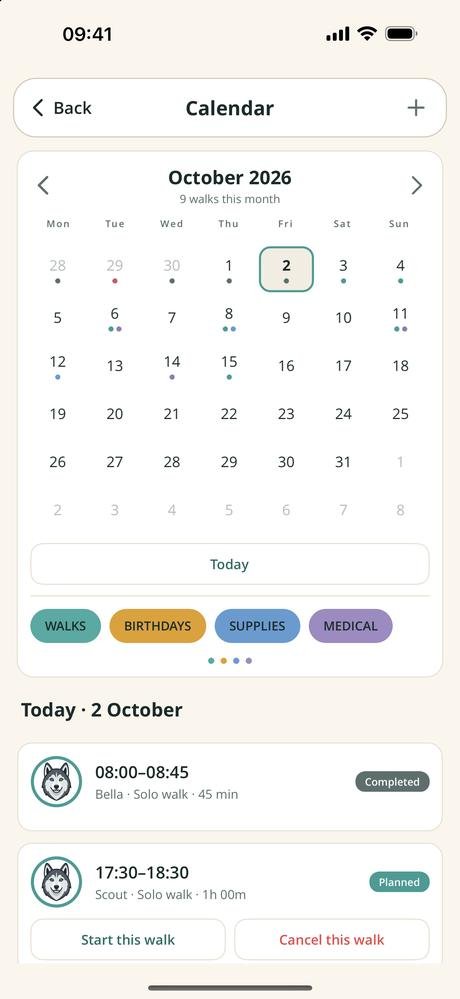
A subscription unlocks the rest — the medical record with its jab and worming due dates, the calendar, planning a walk in advance, walk history, the breed guide and training cards, birthdays, the toy box, expenses, supplies, the photo gallery and spoken notes. It comes in two lengths, monthly and quarterly, and renews until you cancel it at least 24 hours before the end of the period, from the Manage subscription button in the app or in the App Store.
- Monthly See the App Store renews every month
- Quarterly See the App Store renews every three months
Prices are not listed here, because they can change. Check the App Store for the up-to-date price, in your own currency, before you subscribe — it is the App Store that takes the payment. Most of the apps give new subscribers an introductory offer: an introductory period at the start, before the first payment is taken. How long it lasts can change, so again, check the App Store for the details.
Cancelling takes nothing off your phone. Your dogs, their records and every walk you have tracked stay exactly where they are; the paid screens simply stop opening.
Your dogs, walks, routes, photographs and notes are never uploaded, and there is no advertising, no analytics and no tracking. A few things go to my own server, and only when you use the feature that needs them: your email address if you sign in or claim access you have been given; a notification token, with the phone model and app version, if you switch notifications on; and a random install ID that lets an App Store purchase be matched to you. None of it is shared or sold. See the privacy policy and the terms of use.
Every screen in the app
Ten screens, three at a time — swipe, or use the arrows and dots. Tap a screenshot to see it full size. The apps are still being developed, so screens may look different in the version you download — these shots are not always updated the moment something changes.
Interested in an app like this, or in something else for iPhone, iPad or Android? Get in touch.